How to Choose the Right Hospital Management Software for Your Hospital
· Hextgen AI Team
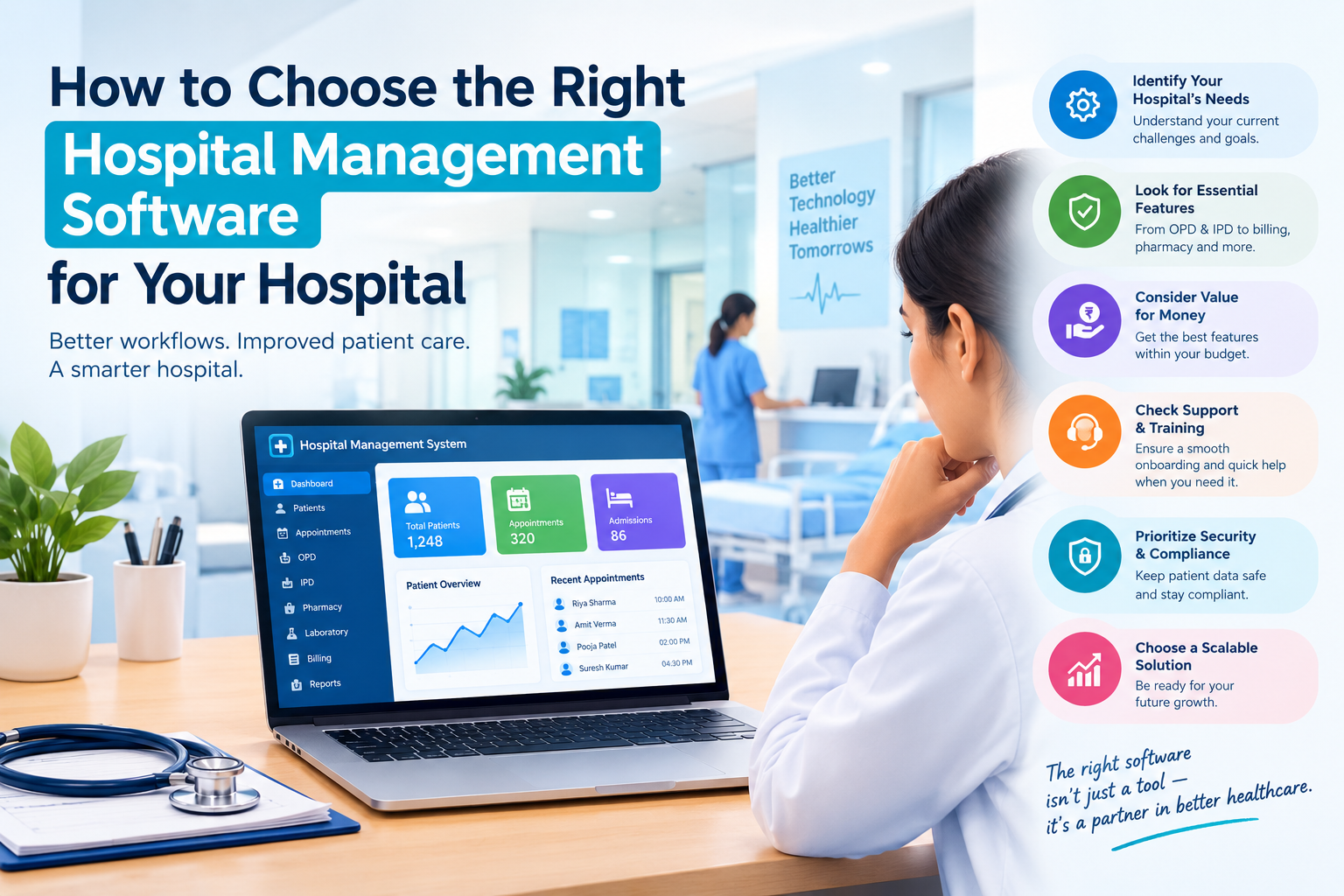
Choosing hospital management software (HMS) is one of the biggest technology decisions a hospital makes. The right system makes billing faster, cuts paperwork, gives doctors quicker access to patient records and helps you stay compliant. The wrong one leads to frustrated staff, data silos and costly migrations later.
This guide walks through what to look for, which questions to ask vendors, and how to make a confident choice.
What Is Hospital Management Software?
Hospital management software is an integrated system that digitizes and connects a hospital's clinical, administrative and financial work. It typically covers:
- Patient registration and appointments (OPD and IPD)
- Electronic Medical Records (EMR/EHR)
- Billing, insurance and TPA claims
- Pharmacy and inventory management
- Laboratory (LIS) and radiology (RIS/PACS) integration
- Bed, ward and OT management
- HR, payroll and staff scheduling
- Reports, analytics and MIS dashboards
Instead of each department working in its own spreadsheets or registers, everything runs on one platform with a single patient record.
Step 1: Define Your Hospital's Needs First
Before you look at any vendor, write down what your hospital needs.
- Size and type: A 30-bed clinic, a 200-bed multispecialty hospital and a hospital chain need very different systems.
- Departments: List every department that will use the software (OPD, IPD, ICU, pharmacy, lab, radiology, OT, billing, HR).
- Current pain points: Long billing queues? Lost files? Insurance claim rejections? Stock-outs in the pharmacy? Your biggest problems should decide what matters most.
- Growth plans: Are you adding beds, specialties or branches in the next 3–5 years?
Tip: Involve doctors, nurses, front-desk staff, pharmacists and accounts teams in this step. The people who use the system every day know where the real bottlenecks are.
Step 2: Look for These Must-Have Features
1. A Complete, Integrated Patient Record
Every doctor should see a patient's history, prescriptions, lab results, imaging and discharge summaries in one place, without switching between systems.
2. Strong Billing and Insurance Management
Look for automatic charge capture, package billing, TPA/insurance workflows, pre-authorization tracking and GST-compliant invoicing (or your country's equivalent). Billing errors are one of the biggest sources of lost revenue.
3. Pharmacy and Inventory Control
Batch and expiry tracking, reorder alerts, purchase orders and stock-level reporting help prevent both waste and shortages.
4. Lab and Radiology Integration
The software should connect to lab analyzers and imaging systems so results flow into the patient record automatically, without manual re-entry.
5. Real-Time Reports and Dashboards
Management should be able to see bed occupancy, revenue, department performance and outstanding payments at a glance.
6. Patient-Facing Features
Online appointment booking, SMS/WhatsApp reminders, digital reports and a patient portal or app now matter a lot for patient satisfaction.
Step 3: Cloud or On-Premise?
| Factor | Cloud-Based HMS | On-Premise HMS |
|---|---|---|
| Upfront cost | Low (subscription) | High (servers, licenses) |
| Maintenance | Handled by the vendor | Your IT team |
| Access | Anywhere, any device | Mostly within the hospital network |
| Updates | Automatic | Manual |
| Scalability | Easy to add users and branches | Needs hardware upgrades |
| Internet dependency | Needs reliable connectivity | Works offline on the LAN |
For most small and mid-sized hospitals, cloud-based HMS is now the practical choice: lower upfront cost, automatic updates and easy multi-branch access. Large hospitals with strict data-residency rules or unreliable internet may still prefer on-premise or hybrid setups.
Step 4: Check Security and Compliance
Patient data is highly sensitive, so don't compromise here. Ask vendors about:
- Data encryption in transit and at rest
- Role-based access control: a receptionist shouldn't see clinical notes
- Audit trails that record who viewed or changed a record
- Regular automatic backups and a disaster recovery plan
- Compliance with the regulations that apply to you, such as HIPAA, GDPR, India's DPDP Act or ABDM/NABH requirements
- Interoperability standards such as HL7 and FHIR, for sharing data with other systems
Step 5: Prioritize Ease of Use
Even the most powerful software fails if staff avoid using it. During demos, check:
- Can a front-desk executive register a patient in under a minute?
- Can a doctor write a prescription in a few clicks?
- Does it work well on tablets and mobiles?
- Is the interface clean, or cluttered with menus?
Ask for a free trial or sandbox so your staff can test real workflows before you commit.
Step 6: Evaluate the Vendor, Not Just the Software
A hospital system is a long-term relationship. Look into:
- Experience: How many hospitals like yours already use it? Ask for references.
- Implementation support: Will they migrate your existing data and configure the system for your workflows?
- Training: Is on-site or online training included for all departments?
- Customer support: Is support available 24/7? Hospitals don't close at 6 PM.
- Product roadmap: Is the vendor investing in AI, automation and new features?
Step 7: Understand the Total Cost of Ownership
Don't compare only the license or subscription price. Include:
- Implementation and data migration fees
- Training costs
- Hardware (for on-premise)
- Annual maintenance or support contracts
- Charges for extra modules, users or branches
- Customization costs
A cheaper system with hidden add-on charges often ends up costing more than a transparent, all-inclusive plan.
Step 8: Look for AI and Automation Capabilities
Modern hospital software goes beyond record-keeping. AI-powered features can:
- Predict bed occupancy and patient inflow
- Flag billing errors and claim rejection risks before submission
- Automate appointment scheduling and reminders
- Help with clinical documentation, for example through voice-to-text notes
- Surface insights from hospital data to improve decisions
Choosing a platform with AI built in keeps your hospital ready for the future.
Quick Checklist: Questions to Ask Every Vendor
- Is the software cloud-based, on-premise or hybrid?
- Which modules are included in the base price?
- How long does implementation take?
- Will you migrate our existing patient data?
- What security and compliance certifications do you have?
- Does it integrate with our lab machines, PACS and accounting software?
- What does training and ongoing support include?
- Can we speak to hospitals currently using your system?
- How often do you release updates, and are they included?
- What happens to our data if we stop using your service?
Conclusion
The right hospital management software should fit your workflows, grow with your hospital, keep patient data secure and be easy enough that every staff member actually uses it. Start with your needs, shortlist vendors carefully, test real workflows and look at the total cost before you decide.
A well-chosen HMS pays for itself through faster billing, fewer errors, better patient experience and data-driven management.
Looking for a modern, AI-powered hospital management system?
See how Hextgen AI can simplify operations across your hospital. Book a Free Demo
Why Use HextGen AI? Key Factors to Consider Before Choosing Clinic & Hospital Software
Digital Prescription in Hospital Management Software: Fixing Lab Billing
Digital Prescription in Hospital Management Software: Fixing Lab Billing
Patient Management System: Smart Appointment Scheduling for Hospitals